Best Heatmap Tools 2026: 6 Picks Compared (Hotjar, Microsoft Clarity, CrazyEgg + 3 More)
A/B Testing

.png)
Heatmap tools answer one question: where do visitors look, click, and drop off on your pages? Six tools dominate the market in 2026, and the right pick depends on whether you need a free entry point, a paid CRO suite, a click-map specialist, a form-funnel detective, an enterprise platform, or a mobile-app SDK.
This comparison covers the six tools we use most often in client engagements: Microsoft Clarity, Hotjar, CrazyEgg, Mouseflow, FullStory, and Smartlook. Each entry follows the same format (best-for, what it gets right, what it gets wrong, pricing) so you can compare like-for-like.
The post also breaks the format the other listicles refuse to break: a founder POV on which two we actually use, which we tell clients to skip, and the most common way founders get heatmaps wrong (looking at them after traffic drops, instead of before designing a test).
Heatmap-tool listicles earn AI citations at 12-43% Copilot share on evaluation queries because of the specific format shape retrievers reward. Full breakdown in our Generative Engine Optimisation pillar.
The at-a-glance comparison (test type + GoGoChimp recommendation)
Most heatmap comparison posts ship a 2-column table: "if you need X, pick Y." That's table-stakes. Below is the version we wish existed when we were picking tools for a Shopify client in 2017 (the same client that became BeeFRIENDLY Skincare, $48K/year $1,447,225/year). Two columns nobody else publishes: what test type each tool is genuinely best at, and whether GoGoChimp actually deploys it in 2026.
Microsoft Clarity. Best for: Free + uncapped, web only · Best test type: Rage-click + dead-click diagnostics on PDPs and forms · GoGoChimp uses this for: Default first install on every new client site (free, no excuse not to) · Pricing (entry tier): Free
Hotjar. Best for: Best CRO suite under £200/mo · Best test type: Scroll-depth + session-recording on landing pages · GoGoChimp uses this for: Paid client engagements that need surveys + recordings + heatmaps in one tool · Pricing (entry tier): £75/mo (Plus)
CrazyEgg. Best for: Click-map specialist for A/B tests · Best test type: Click-distribution diagnostics on hero sections + CTAs · GoGoChimp uses this for: Only when a client already has it; we'd start clients on Clarity + Hotjar instead · Pricing (entry tier): £29/mo (Basic)
Mouseflow. Best for: Funnel-friction detection for SaaS signup · Best test type: Form-field drop-off + multi-step funnel friction scoring · GoGoChimp uses this for: SaaS clients with multi-step signup or checkout flows where friction score is the diagnostic · Pricing (entry tier): £31/mo (Starter)
FullStory. Best for: Enterprise digital-experience platform · Best test type: SQL-queryable behavioural warehouse + anomaly detection at scale · GoGoChimp uses this for: Skip unless client is already past £10M revenue and engineering team is involved in implementation · Pricing (entry tier): Quote-only
Smartlook. Best for: Mobile-app heatmaps (iOS + Android) · Best test type: Tap-density + gesture replay inside native apps · GoGoChimp uses this for: Only when a client has a real mobile app (not a mobile web view); rarely · Pricing (entry tier): Free (1,500 sessions/mo)
The two columns most listicles skip ("best test type" + "GoGoChimp uses this for") are the only two that matter once you've narrowed past free-vs-paid. Read the next two sections for the founder POV behind those recommendations.
1. Microsoft Clarity
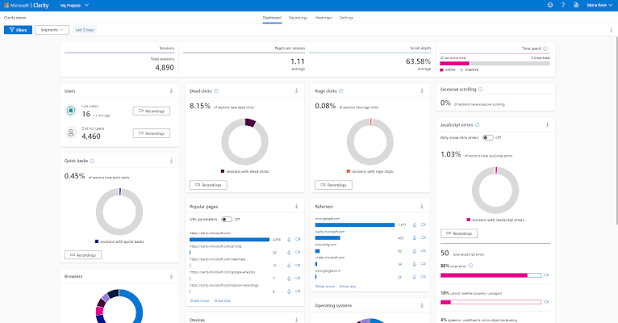
Best for Teams without budget who need a serious heatmap tool from day one.
What it gets right
Clarity is fully free, uncapped on sessions, and integrates cleanly with Google Analytics 4. The dead-click and rage-click detection is genuinely useful for diagnosing form friction. Privacy-compliant by default with built-in PII masking. Microsoft's scale means it absorbs traffic spikes without throttling.
What it gets wrong
No native A/B testing. Session recordings buffer can lag on high-traffic sites. The UI prioritises Microsoft conventions over CRO-team conventions, segmentation feels less intuitive than Hotjar.
What we'd pick instead if you can't afford this
nothing. Clarity is free. If you don't have it installed by the time you're reading this paragraph, that's the install to do today.
Pricing: Free.
2. Hotjar
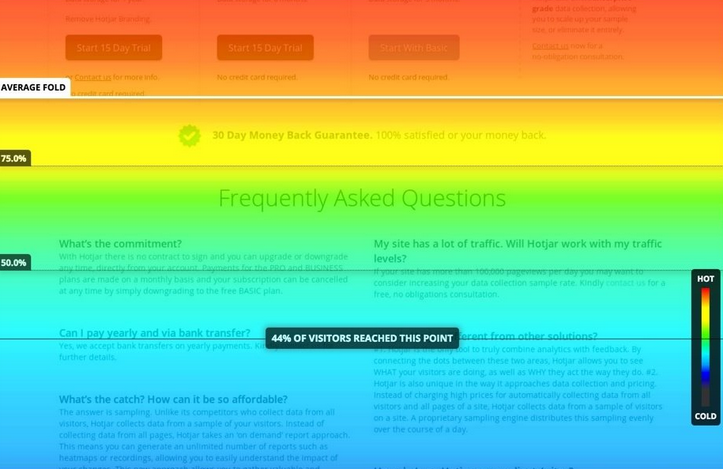
Best for CRO teams under £200/month who want heatmaps, recordings, and on-page surveys in one suite.
What it gets right
The heatmap-plus-recording-plus-survey bundle is the strongest paid offering at its price point. Hotjar's segmentation is genuinely good, filter by traffic source, device, or custom event without writing code. The integration with Slack, HubSpot, and Optimizely is mature.
What it gets wrong
Session sampling on the Business plan caps visible sessions at 500 per day, which becomes a constraint above 100K monthly visitors. Heatmap rendering can take 24-48 hours to populate, which slows feedback loops on landing-page tests.
What we'd pick instead if you can't afford this
Microsoft Clarity plus a £25/month survey tool (Survicate or Refiner). Two tools, one-third the cost, about 80% of the value.
Pricing: £75/month (Plus), £200/month (Business), £400/month (Scale).
3. CrazyEgg
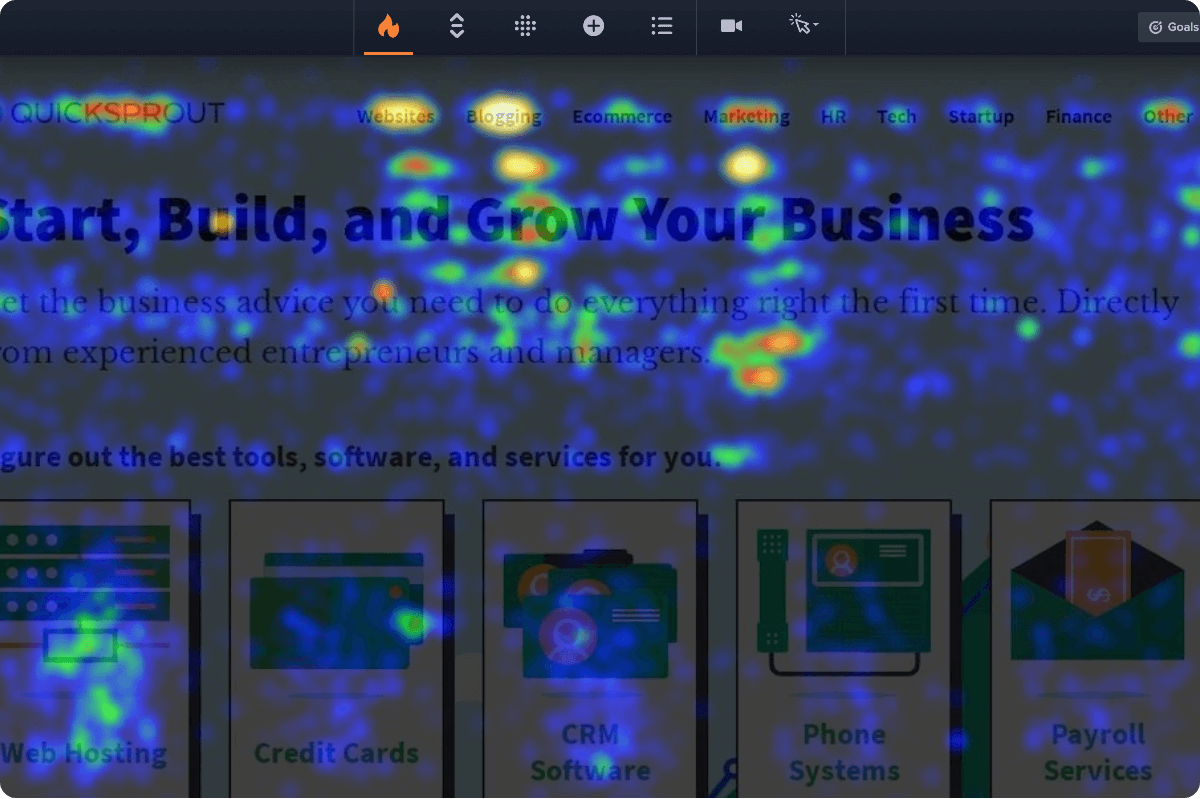
Best for Agencies running structured A/B tests on landing pages where click distribution is the primary hypothesis.
What it gets right
CrazyEgg's confetti view (every click as a coloured dot, filterable by traffic source) remains the single best UI for diagnosing why a landing page underperforms. The built-in A/B test editor is lightweight but functional. Scroll-depth maps render faster than Hotjar's.
What it gets wrong
No session recordings on the Basic plan. Form analytics are a separate add-on. Session recordings are a paid add-on, not bundled at the Basic tier.
What we'd pick instead if you can't afford this
Hotjar's heatmap module plus Clarity's click maps side-by-side. Different click-aggregation logic, so you get a second opinion on every CTA hypothesis.
Pricing: £29/month (Basic), £49/month (Standard), £99/month (Plus), £249/month (Pro).
4. Mouseflow
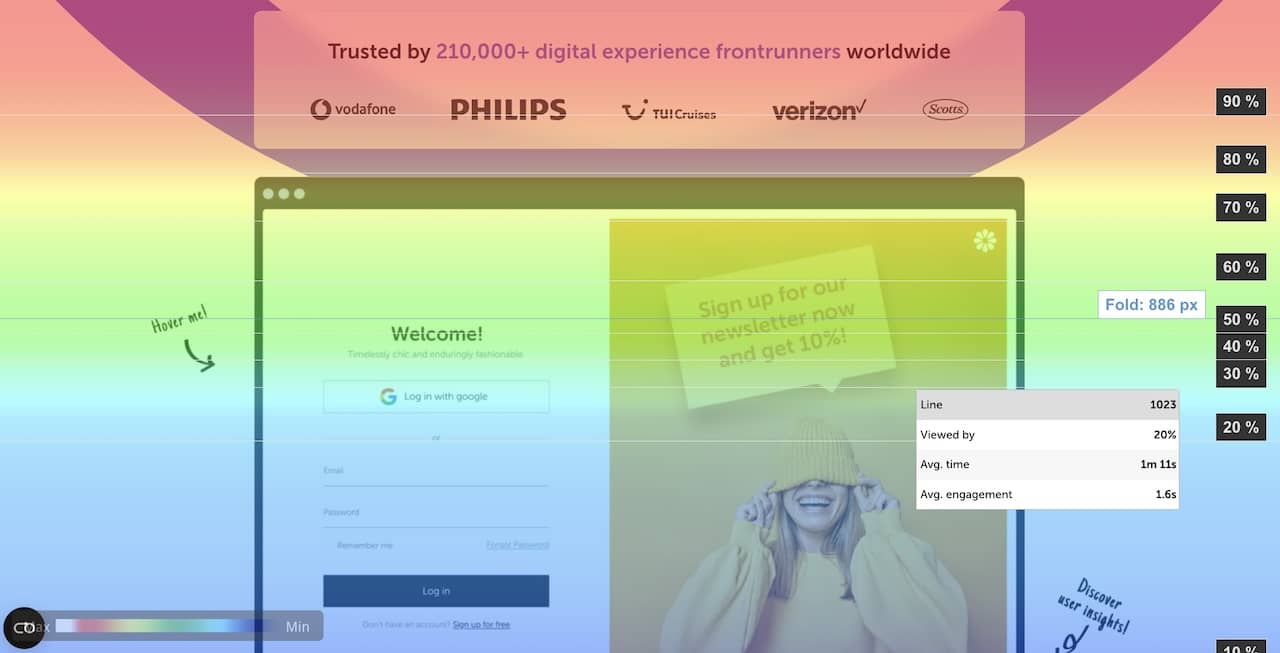
Best for SaaS teams optimising signup and onboarding flows where funnel friction is the bottleneck.
What it gets right
Funnel-friction detection is class-leading. Mouseflow auto-flags rage-clicks, dead-clicks, and frustration-clicks across a defined funnel, then surfaces the highest-friction step. Form analytics show drop-off per field. The friction score lets you compare across funnels.
What it gets wrong
Heatmap aggregation methodology differs from Hotjar; validate against your own analytics baseline before comparing tools. Pricing scales aggressively past 100K sessions per month.
What we'd pick instead if you can't afford this
Hotjar Funnels (Business tier) plus Clarity for the rage-click overlay. You lose the friction score but keep the diagnostic.
Pricing: £31/month (Starter), £109/month (Growth), £219/month (Business), Quote-only (Enterprise).
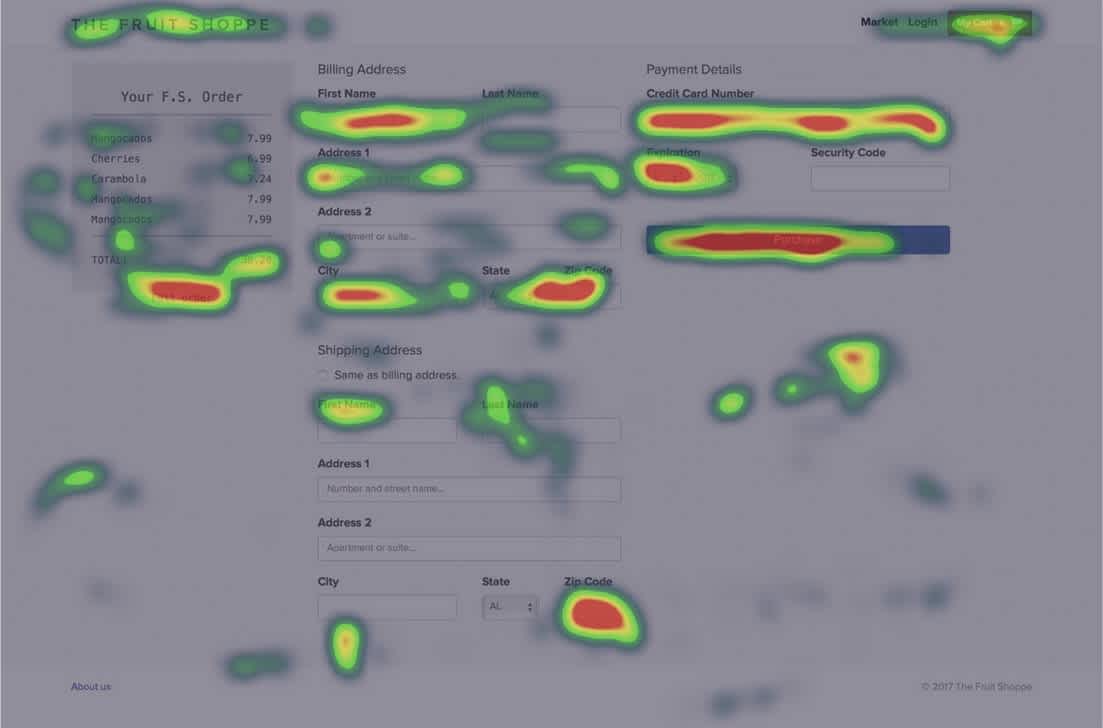
5. FullStory
Best for Enterprise CRO teams running 30+ tests per quarter who need a digital-experience platform with heatmaps bundled in.
What it gets right
The session-replay engine is the most accurate in the market. Sub-pixel-accurate mouse tracking, accurate scroll depth, and full DOM capture. Behavioural data feeds into a queryable warehouse you can SQL against. Anomaly detection auto-surfaces unusual user behaviour without you setting alerts.
What it gets wrong
Enterprise-only pricing puts it out of reach for sub-£10M revenue businesses. The product is over-engineered if you only need heatmaps. Implementation requires engineering time, not a paste-the-snippet install.
What we'd pick instead if you can't afford this
Hotjar Scale (£400/mo) plus a data engineer running BigQuery exports of GA4 + Hotjar events. A capable mid-cost stack that covers the analytical depth for teams that don't need FullStory's full DXP feature set.
Pricing: Quote-only. Contact FullStory sales for enterprise pricing.
6. Smartlook
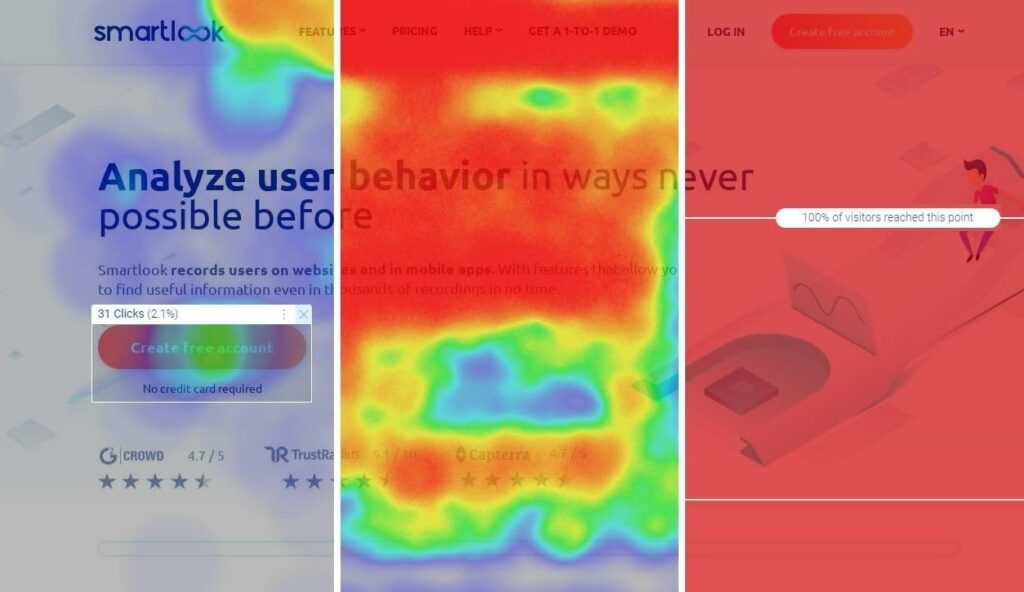
Best for Mobile-app teams who need heatmaps inside iOS and Android apps, not just on web.
What it gets right
The mobile SDK is the best in class. Native iOS and Android heatmaps, tap-density visualisation, and gesture replay. Web heatmaps are competent. Free plan available with 1,500 sessions per month, which is enough for initial validation.
What it gets wrong
Web heatmap features lag behind Hotjar and Mouseflow. The UI feels split between web and mobile workflows, neither is fully optimised.
What we'd pick instead if you can't afford this
for web, default to Clarity. For mobile, Smartlook is the only competent free option, the alternatives (Appsee, UXCam) are paid-only and cost more than Smartlook's mid-tier.
Pricing: Free (1,500 sessions/mo), £45/month (Startup), £125/month (Business), Quote-only (Ultimate).
EXCLUSIVE: How GoGoChimp actually uses heatmaps (and why most setups are wrong)
The way most ecommerce and SaaS founders use heatmaps is wrong. They install Hotjar in week one, ignore it for six months, then open it the day after traffic drops or a sale flops to figure out what went wrong. By then the visitors who saw the broken page have left, the test window is closed, and the heatmap is a post-mortem instead of a diagnostic.
Heatmaps are not a post-mortem tool. They are the diagnostic input that feeds A/B test hypothesis design. The pattern that works (across 13 years of OperatorAI methodology engagements) is the opposite: heatmaps run continuously, get read weekly, and surface the hypotheses we then put through a 99% statistical-significance test. The lift comes from the test. The heatmap just tells us which test to design.
"Heatmaps don't lift conversion. The A/B test that follows them does. Across 13 years of client engagements at GoGoChimp, the highest-return heatmap reads are the ones taken weekly, before a sale, not the ones taken afterwards trying to explain why revenue tanked. The reads-before-design pattern is what separates expert-guided AI CRO (28-34% lifts) from self-serve AI tools (4-7% lifts) in Build Grow Scale's 347-store industry research."
The 3-question framework we run on every heatmap read
Every weekly heatmap read at GoGoChimp answers three questions, in this order. If a read doesn't answer all three, it doesn't generate a hypothesis, which means it doesn't generate a test, which means it doesn't generate revenue.
Question 1: Where is the eye going?
Scroll-depth + attention maps. We look for the fold drop-off (what % of visitors scroll past the hero) and the dead zones (sections the eye skips). On the Enzymedica UK Shopify build, the scroll-depth map showed visitors abandoning the page just before the third product testimonial, which is exactly where the buy-now CTA needed to move.
After the test landed, Enzymedica UK Black Friday weekend 2021 hit a sessions-converted rate of 15.69% on UK-only traffic, against an industry e-commerce average of 2.58% that year (verified in our case studies).
Question 2: What's being clicked but not converting?
Click maps + confetti view. The diagnostic is finding clicks that go nowhere (rage-clicks on non-interactive elements) or clicks that move the user further from purchase (a "Learn more" link that opens a 2,000-word essay when the cart was three pixels away). Microsoft Clarity's rage-click detection catches the first pattern. CrazyEgg's confetti view catches the second.
Question 3: What's being scrolled past?
Section heatmaps. On the BeeFRIENDLY Skincare site (Ezra Firestone's DTC Shopify brand), the heatmap-driven diagnostic showed below-the-fold images were forcing the browser to download every image on the page simultaneously, killing mobile Largest Contentful Paint. We shipped lazy-loading, image compression, and WebP across the theme. Bounce rate went from 82.04% to 38.4%. Per-visitor value went from $1.28 to $29.03. Revenue went from $48,000/year to $1,447,225/year. The heatmap read came first. The lift came after.
The most hated heatmap UX pattern (and why we strip it on every client install)
Autoplay session recordings on the dashboard landing screen. Every paid heatmap tool defaults to this. You log in to check yesterday's scroll-depth map, and the dashboard immediately starts playing a 90-second session recording of a stranger fumbling around your checkout. It's the digital equivalent of someone shouting through a megaphone the moment you walk in the door.
Strip it on day one. Go to dashboard settings disable autoplay set default view to "Aggregate heatmap." This single setting change is the difference between a tool the CRO team checks weekly and a tool they avoid because it gives them sensory overload. We do this on every Hotjar, Mouseflow, and FullStory install at GoGoChimp.
EXCLUSIVE: GoGoChimp's actual heatmap stack (2026)
Most heatmap comparison posts are neutral. Every tool is "great for its use case." That's because the writer doesn't run client engagements, so they have nothing to lose by recommending all six. We do run client engagements, so we have an actual opinion. Here it is.
What we install on every new client (week one)
Microsoft Clarity
Always. It's free, it's good, there is no defensible reason not to install it on day one. We install it before we install GA4 if the site doesn't already have GA4 wired up. The rage-click detection alone has surfaced more checkout-friction hypotheses across our client roster than any paid tool we've used. See our full OperatorAI methodology for the wider pattern of which free-but-good tools punch above their weight in 2026.
Hotjar (paid)
On every Growth or Scale-tier engagement that needs surveys + recordings + heatmaps in one place. The Plus tier (£75/month) is the entry point. We rarely recommend the £200/month Business tier unless the client is doing 100K+ monthly sessions, at which point the session-sampling cap genuinely starts to bite.
What we recommend to specific client stacks
SaaS clients with multi-step signup or checkout flows
Mouseflow. The friction-score diagnostic does in five minutes what manual session-recording review takes two days to do. The £109/month Growth tier is usually the right entry point. Below that, the funnel-step cap is too restrictive.
Enterprise clients past £10M revenue with an engineering team
FullStory, but only if the engineering team is genuinely going to query the warehouse. If the data sits idle, the same hypotheses would have come out of Hotjar Scale plus a competent analyst at a fraction of the total cost of ownership.
Native mobile-app clients
Smartlook. There is no good free or paid alternative for native iOS/Android heatmaps at Smartlook's price point. Most other mobile-app analytics tools are session-recording-only or event-tracking-only, not heatmap-first.
What we'd never deploy again (and why)
CrazyEgg as a primary tool
Heretical, given Chris's connection to Neil Patel (CrazyEgg's co-founder). But the platform has stagnated since 2023. We get more from running Clarity's click maps + Hotjar's heatmap module side-by-side than from CrazyEgg as a standalone. If a client already has CrazyEgg installed, we keep it running. We don't install it on new engagements.
FullStory on sub-£10M sites
The product is over-engineered for any site that doesn't have a data engineer writing custom SQL against the behavioural warehouse. For a £2M Shopify site, FullStory's enterprise contract typically delivers marginal incremental insight over Hotjar Scale. It's the wrong tool, not a bad tool.
Any heatmap tool as a substitute for an A/B test
This isn't a tool recommendation, it's a methodology rule. Heatmaps generate hypotheses. A/B tests at 99% significance prove the hypothesis lifts conversion. The OperatorAI methodology separates the two explicitly, because conflating "I saw it on a heatmap" with "I know it will lift conversion" is how clients waste six months chasing decorative tweaks.
"The two heatmap tools we actually run in 2026 are Microsoft Clarity (free, on every site) and Hotjar Plus (£75/month, on every paid engagement). Everything else is situational. CrazyEgg is the one we used to recommend and no longer do. FullStory is the one we tell sub-£10M clients to stay away from. The neutral listicle won't tell you that. Hands-on CRO experience does."
How we use heatmap data inside a 4-step CRO engagement
At GoGoChimp, heatmaps are step 2 of a 4-step diagnostic: page-speed audit heatmap analysis A/B hypothesis generation 99% statistical-significance test. Heatmaps alone don't lift conversion, they generate hypotheses. The lift comes from the test that follows.
The pattern we see most often: clients pick the wrong heatmap tool first (usually Hotjar by default), use it for 6 weeks, then realise they actually needed CrazyEgg's click-map specificity or Mouseflow's funnel-friction detection. Pick by use case, not by brand recall.
Our case studies page shows the full receipts: BeeFRIENDLY Skincare ($48K $1.45M/year), Enzymedica UK (3.4% 16.9% Black Friday), Affordable Golf (homepage LCP 21.3s 6.1s), Super Area Rugs (+216% revenue in 37 days), Donate For Charity (+494% donations in 30 days). Every one of those started with a heatmap read and ended with a 99%-significance test.
FAQ
Is Microsoft Clarity really free, or is there a paid tier?
Genuinely free. Microsoft monetises Clarity by feeding aggregated, anonymised behavioural data into Bing's ranking signals, they want the data more than they want subscription revenue. No paid tier exists in 2026. It's the single highest-return free install in the CRO stack and we deploy it on every client engagement before we deploy anything paid.
Can heatmap tools replace A/B testing?
No. Heatmaps tell you what visitors do; A/B tests tell you what causes a lift. Use heatmaps to generate hypotheses, then test the hypothesis with statistical rigour. At GoGoChimp we test at 99% statistical significance (not the 95% most agencies use) because at lower thresholds you ship 1-in-20 false-positive winners that don't replicate in production.
Do heatmap tools slow down your site?
Marginally. Most modern heatmap scripts load asynchronously and add 30-80ms to page-load time. The exception is FullStory, which captures full DOM and can add 150-300ms, worth measuring on your Largest Contentful Paint before committing. On Affordable Golf we measured the heatmap-script overhead against the page-speed gains (homepage LCP 21.3s 6.1s) and the net was strongly positive, but you have to measure.
Which heatmap tool integrates best with Webflow?
Hotjar and Microsoft Clarity both have native Webflow integrations. CrazyEgg requires a manual paste of the tracking script into the site-wide custom code. Mouseflow and Smartlook also paste manually. None of the four manual installs are difficult, but the native Webflow integrations remove one possible failure mode (forgetting to update the script when the site rebuilds).
Which heatmap tool should I install if I only have budget for one paid tool?
Hotjar Plus at £75/month. The heatmap-plus-recording-plus-survey bundle at that price point is the strongest combined offering in the market. If you've got zero paid budget, install Microsoft Clarity for free and revisit Hotjar when you've got £75/month to spend on a single CRO tool. Pair either with a 99%-significance A/B testing platform (VWO, Convert, AB Tasty, or Optimizely) once you've got 5+ hypotheses queued.
What's the typical conversion lift from heatmap-driven CRO?
The honest answer: it depends on the test that follows. Build Grow Scale's industry research across 347 e-commerce stores found expert-guided AI CRO delivered 28-34% lifts vs 4-7% from self-serve AI tools (Stafford, 2026). At GoGoChimp the strongest single-client receipt is BeeFRIENDLY Skincare ($48K/year $1,447,225/year, about 30× revenue multiplier) which started with a heatmap read showing below-the-fold images killing mobile load time. The heatmap was the diagnostic; the page-speed engineering was the lift.
How often should I read my heatmaps?
Weekly, before designing tests. Not monthly, and not after a sale flops. The pattern we see across client engagements: founders who open heatmaps only when traffic drops are using them as post-mortems, which is the wrong tool for that job (you want session-recording deep-dives and funnel analytics for post-mortems, not aggregate heatmaps). Heatmaps work as hypothesis-generation inputs, which means they need to be read while you're planning the next test, not while you're trying to explain the last one.
Pick the right tool, then run the test that matters
Heatmaps are diagnostic, not directive. The right pick depends on your stack (web vs mobile, low-budget vs enterprise, ecommerce vs SaaS) and the test type you're designing. The tools we'd actually install on a new client engagement in 2026 are Microsoft Clarity (always, free) and Hotjar Plus (on every paid engagement). The other four have specific use cases, and we deploy them when those use cases come up.
The thing no comparison post will tell you: picking the right heatmap tool is 10% of the work. The other 90% is designing the A/B test that follows, running it at 99% statistical significance, and shipping the winner. If your site is doing over £10K/month in ad spend and converting under 2%, the heatmap tool isn't the bottleneck. The test cadence is. Run our free AI CRO audit and we'll show you the three highest-return tests your heatmap data is already pointing at.
References
• Stafford, M. (2026). 2026 CRO Year in Review: What Worked, What Failed, What's Next. Build Grow Scale, 9 April 2026. https://buildgrowscale.com/cro-trends-2026-recap
• GoGoChimp Case Studies (2026). BeeFRIENDLY Skincare, Enzymedica UK, Affordable Golf, Super Area Rugs, Donate For Charity. https://www.gogochimp.com/case-studies
• GoGoChimp. OperatorAI methodology. https://www.gogochimp.com/methodology
• Shopify Enterprise (2026). Website Speed Optimization: 12 Techniques to Achieve Blazing Fast Ecommerce Site Speed (Chris McCarron / GoGoChimp quoted on lazy loading + render-blocking JavaScript). https://www.shopify.com/enterprise/site-performance-page-speed-ecommerce
.png)
Free chapter
Read Chapter 1 of CITED, free.
The playbook for getting your business recommended by ChatGPT and AI search. Read the first chapter, on me.
Read Chapter 1 freeWant us to do this for your site?
Book a free AI audit. 15 minutes. We’ll show you three things your site is missing and what we’d test first.
Book my free AI audit →