How Page Speed Took a Shopify Store from $48K/Year to $1.45M/Year (Without Changing a Single Word of Copy)
Page Speed

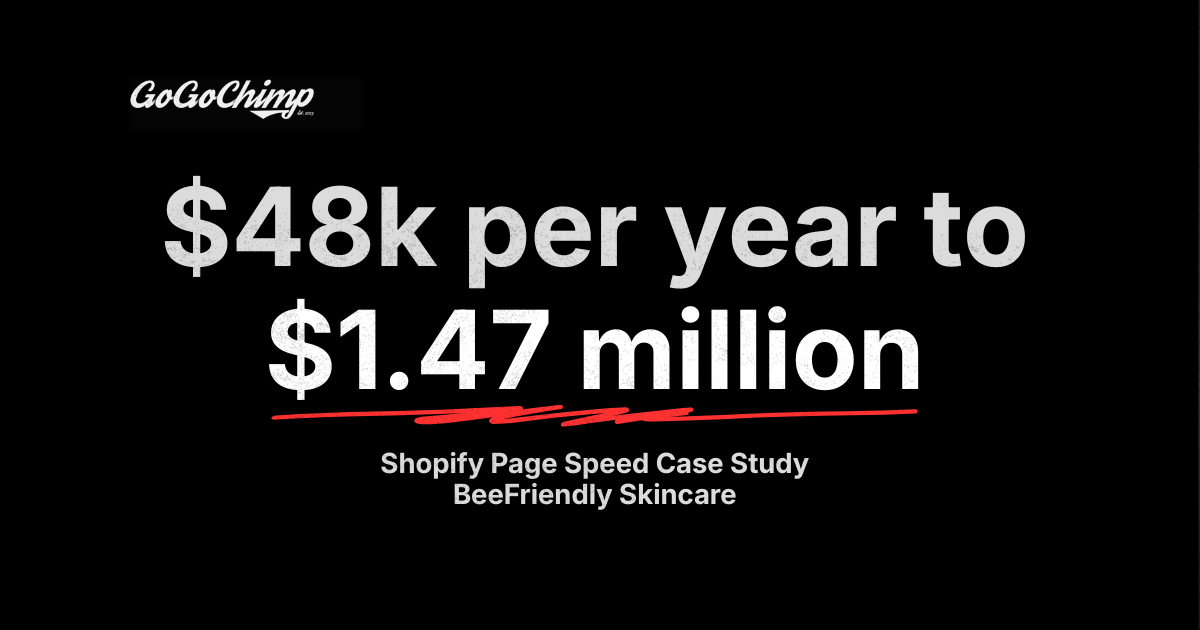
The setup: Bee Friendly Skincare on Shopify, doing $48K/year
Bee Friendly Skincare, Ezra Firestone's DTC skincare brand on Shopify, was generating $48,000 in annual revenue from its primary landing page funnel. The brand had paid traffic running, an active email list, and a name people in the e-commerce space recognised. Not $48,000/month. Forty-eight thousand dollars a year.
Annual revenue $48,000. The store had real traffic, real ad spend, a real product catalogue, and a recognisable founder (Ezra Firestone of Smart Marketer). What it didn't have was a website that loaded fast enough for any of it to convert.
The math behind the engagement was almost embarrassing. The landing page was pulling 19,843 sessions in the data window. The main site was pulling 26,638. Conversion rate sat at 1.79% on the landing page and 1.57% sitewide. Both under half the industry benchmark of 3.8% for Health and Beauty in 2017.
The founder had brought me in because the trajectory wasn't matching the brand. They had the audience. They had the ads. They had the email list. The numbers were not landing.
I agreed to run a full audit before touching anything on the site.
Why I dug into page speed first (before any A/B test)
I have a rule I've held for thirteen years: before any A/B test, I look at the data. Not the funnel I'd like to see. The funnel that exists. You learn more from what the analytics already know than from any test you can spin up in the first week.
Most CRO engagements fail because the agency runs a button-colour test on a site that takes 12 seconds to load. You can't optimise a conversion rate when 80% of your visitors never see the page render.
When I opened Google Analytics on the Bee Friendly site, one number stopped me cold.
Average landing-page download time: 12.48 seconds
That's 9.48 seconds longer than what I'd consider acceptable. The shopping cart was averaging 6.29 seconds. The checkout was clocking 4.12 seconds.
Aberdeen Group's rule of thumb says you lose 7% of conversions for every extra second of page load time (Aberdeen Group, 2008). On a 12.48-second page, that isn't a rounding error. It's the entire business. Before I could justify a single A/B test on the landing page, I had to know whether the visitors were even seeing it.
What the audit found: the data
The audit covered 13 months: 1 April 2016 to 30 April 2017. I went deeper than the standard "here are your Core Web Vitals" report. Page speed was the headline finding. Underneath it, the data told a richer, uglier story about who was buying, when they were buying, and what was stopping the rest.
Across 19,843 landing-page sessions, 18,146 of them (over 91%) bounced within or under one second of arriving. They never saw the offer. They never saw the product. They saw a white screen and left.
Funnel-stage drop-off
I broke the existing sales funnel into four stages and measured drop-off at each:
- Interest (landing page): 81.00% drop-off
- Decision (shopping cart): 59.83% drop-off
- Action (checkout): 37.33% drop-off
The standard ecommerce bounce rate in 2017 sat between 40-50%. The main site was inside that range at 47.81%. The landing page was sitting at 71.54% to 88.35%, averaging 81%. Almost every bounced session happened inside the first two seconds.
That's a page-speed signature. People weren't bouncing because the offer was wrong. They were bouncing because nothing had loaded.
PageSpeed Insights baseline
- Landing page: 54/100 desktop, 49/100 mobile
- Shopping cart: 45/100 desktop, 44/100 mobile
A landing page sitting at 49/100 on mobile in 2017, when over 60% of the traffic was mobile, is a self-inflicted wound.
For 2026 reference, Google's current Core Web Vitals thresholds are LCP under 2.5 seconds, INP under 200 milliseconds, and CLS under 0.1 (web.dev/articles/vitals). INP replaced FID as the responsiveness metric in March 2024. A 49/100 mobile score in 2026 fails all three thresholds on entry and disqualifies the page from organic ranking parity, separate from the conversion impact discussed above.
The demographic split nobody had looked at
The interesting part of the audit wasn't page speed. It was who was actually converting once they got past the page-speed wall.
- 18-24-year-olds direct: AOV $93.15 (a full $26.71 above the site average), conversion rate 1.45%, per-session value $1.35
- Search engine traffic, 45-54: 4.08% conversion rate, $3.67 per-session value
- Organic traffic, 55-64: 10.26% conversion rate, $5.04 per-session value
- 25-34-year-olds direct: $0.04 average per-session value (effectively zero)
- Email to males: zero conversions across the full window
- Email to females: 21 sessions, 9.52% conversion rate, $7.86 per-session value
The brand was paying to acquire 25-34-year-old men direct. They were not buyers. The brand was barely emailing the 45-64 organic audience that was converting at 4-10%.
Page-depth conversion: the smoking gun
This finding shifted how I think about page speed and time-on-site permanently.
- 8 pages viewed: 5.15% female conversion rate
- 9 pages viewed: 53.25% female conversion rate
- 13 pages viewed: 71.23% female conversion rate
The minimum number of pages a female visitor viewed before purchasing was 7. For males it was 9. Females viewing 13 pages converted at 71.23% with the highest AOV in the dataset at $85.57.
Translation: visitors who actually engaged with the brand bought at extraordinary rates. The single largest barrier to that engagement was a 12-second page load that prevented anyone from getting to page two.
The video paradox
The audit also surfaced a counter-intuitive video finding:
- All sessions, average AOV: $66.44
- Sessions that watched video, average AOV: $76.74 (+13.42%)
- Females with video: AOV $78.32 (+15.17%), conversion rate 4.43%
- Males 35-54 with video: AOV declined from $79.47 to $66.14
- Per-session values rose from $0.20 to $6.49 across the segments where video helped
Video was lifting female buyers and tanking middle-aged male buyers. The same asset, opposite effects. That's an audience-segmentation problem, not a creative problem.
Heatmaps: the cart was the second leak
On the landing page, only 4.65% of clicks hit the primary CTA above the fold on desktop. Mobile was worse: 65.1% of visitors scrolled to the bottom, and the upper-left of the screen (where the CTA sat) recorded almost no taps because thumb range of motion doesn't reach there.
The shopping cart was where the audit got brutal. 57.67% of all clicks on the desktop cart went to elements that did not proceed to checkout. On mobile, that figure was 80.98%. The cart had a free-shipping bar, a navigation menu, a "Join the Club" banner, a "Shop Our Store" button, a Continue Shopping link, a selfie-competition segment, and video play buttons. Everything but a clear path to the order.
A cart isn't a content page. Every link that doesn't say "checkout" is leaking revenue.
What I told the client
The audit report ran to 47 pages. The strategic recommendations distilled to twelve points, but three of them did the entire revenue lift on their own.
I told the client: don't run a single A/B test until we've fixed page speed. Don't change a headline. Don't change a CTA colour. Don't redesign the cart. Cut the load time first, then talk to me about copy.
The full recommendation list was:
- Reduce page download time on all devices (the priority).
- Make add-to-cart buttons on mobile reachable inside the thumb's natural arc.
- Streamline the checkout, with an express option for 18-24-year-olds.
- Build variant landing pages for the demographics that were converting (45-64 organic, 18-24 direct).
- Eliminate ad spend on the segments producing a loss (25-34 direct males, email-to-males).
- Reinvest the savings on the high-converting segments.
- Send email subscribers directly to the landing page, not the homepage.
- Add user-generated content (testimonials, reviews) above the fold.
- Use gender- and age-specific video content.
- Make video content accessible to affiliates.
- Run YouTube SEO across all video content.
- Run keyword research for raising brand awareness on the demographics that monetised.
Not one person at the company read the report.
The founder asked me to make a video summary. He never watched it. He wanted to break the contract. The audit had taken weeks of work for a $3,000 fee, and the client was already calling the engagement a wash.
I made him an offer: let me make three engineering changes and measure what happens. If nothing moves, the contract ends. If something moves, we keep going.
He agreed.
The implementation: the three fixes that did it
The three fixes took less than a week of engineering. None of them touched copy, design, ads, or product. They were all infrastructure.
Three fixes (image sizing, image compression, WebP conversion) moved a Shopify store's annual revenue from $48,000 to $1,447,225. The site was identical above the fold. The bytes underneath had been cut by more than half.
Fix #1: serve correct image sizes (theme-code edits)
By default, Shopify themes do a horrible job at serving the right image sizes. Out of the box, a thumbnail slot pulls the full-resolution image from the asset library and downsizes it in the browser. The visitor's device downloads a 2,000-pixel-wide hero image to render a 200-pixel-wide thumbnail.
On a Shopify product page with a dozen thumbnails, that single behaviour can add seconds to load time on its own.
The fix: dig into the theme's Liquid templates and replace the default image references with the correct Shopify CDN size suffixes ({{ image | img_url: '200x200' }} instead of {{ image | img_url: 'master' }}). Half a day of theme-code editing for someone who knows where to look.
Fix #2: compress every image
Image compression reduces file size without losing perceptible quality. There are dozens of Shopify apps and standalone tools that do this in one click. The actual decision is which assets to compress and how aggressively.
We compressed the entire image library. Hero images, product photography, lifestyle imagery, badges, seals, the lot. The store's image weight halved.
Fix #3: WebP conversion
WebP lossy images are roughly 26% smaller than the equivalent JPEG. On a Shopify store carrying dozens of images per page, that's not a marginal saving. It's a different page entirely.
Combined with resizing, the cumulative reduction sat around 34% smaller file size across the catalogue.
The total page-speed reduction post-implementation was 2.24 seconds on the landing page and 1.87 seconds on the shopping cart. The PageSpeed Insights scores moved into the green.
The result: what happened to the numbers
Sales jumped immediately. I was on a Slack channel with the client's team. The store manager said, verbatim, that he couldn't believe page speed made that much difference. The team was watching real-time orders climb hour by hour.
Bounce rate on the landing page dropped from 82.04% to 38.4%. Per-visitor value rose from $1.28 to $29.03. The same traffic, the same offer, the same copy. Generating roughly 30× the revenue.
Here's the before-and-after, page by page, in the same format I delivered to the client:
- Landing-page download time: 12.48s to about 10.24s (−2.24s)
- Landing-page bounce rate: 82.04% 38.4% (−43.64pp)
- Landing-page exit %: 77.25% 32.28% (−44.97pp)
- Landing-page per-visitor value: $1.28 $29.03 (+$27.75)
- Shopping-cart download time: 6.29s to about 4.42s (−1.87s)
- Annual revenue (projected): $48,000 $1,447,225 (about 30×)
The client's first reaction was that the numbers had to be a fluke. He wanted to wait until they held before he believed them. They held for the next month. They held for the month after that. They held for six months. Verified, because the client forgot to remove me from Google Analytics and Hotjar after the contract ended. (More on that in a minute.)
The 7% rule, applied
The rule comes from Aberdeen Group's research: a one-second delay in page load time reduces conversions by roughly 7% (Aberdeen Group, 2008). It's an old rule of thumb, not a measured law. Almost nobody applies it to their own P&L.
On a site doing $48,000/year, every second of load time was costing roughly $3,360 in annual revenue. On a 12.48-second page, that's $42,000 of revenue trapped in the page weight. Once we cut 2.24 seconds, the trapped revenue compounded past the original baseline.
The 7% rule is not a linear loss. It's a compounding one. Each second you cut doesn't just delivers 7%. It delivers a population of visitors who now stay long enough to engage, see the offer, view multiple pages, and convert at the page-depth-driven rates the audit had already mapped (5.15% at 8 pages, 53.25% at 9, 71.23% at 13).
That's why a 2.24-second cut produced a 30× revenue multiplier rather than a 16% one (2.24 × 7%). The speed fix didn't lift conversions in isolation. It unlocked the demographic and engagement patterns that were already there, waiting for visitors who could load the site.
The lesson: page speed is not a 7% fix. It's the foundation that makes every other fix possible.
Newer research points the same way as the 7% rule, and harder. Akamai's 2017 retail report found that a 100-millisecond delay can hurt conversion rates by 7%. The cleanest peer-anchor is Google and Deloitte's "Milliseconds Make Millions" study (Deloitte Digital, 2020). Across 30 million user sessions on 37 European and American brand sites, every 0.1 seconds of mobile load-speed improvement lifted conversion by 8.4% in ecommerce, 10.1% in travel, and 3.6% in luxury (Deloitte methodology summary). Bee Friendly's 2.24-second cut sits at the high end of that elasticity curve because the starting baseline failed every Core Web Vital.
What this means for your Shopify store
You don't need to be doing $48K/year to apply this case. The framework holds at any scale.
If you run a Shopify store and you haven't measured your page-speed-to-revenue correlation, you don't have a CRO programme. You have a guessing game. Audit page speed first; everything else is downstream.
The generalisable framework, in order:
- Measure your current page download time across landing page, product, cart, and checkout. Not just PageSpeed Insights scores. Get the actual GA4 page-timing data.
- Check your theme's image-sizing behaviour. Shopify defaults are not optimised. Inspect the Liquid templates and confirm thumbnails aren't pulling master-size assets.
- Compress and convert your image catalogue. WebP first. Resize second. There's no excuse for serving a 2MB hero image in 2026.
- Correlate page speed against revenue per visitor, not bounce rate. Bounce rate is a vanity metric for page speed. Per-visitor value tells you what each second costs.
- Allocate engineering time before A/B testing time. A 1.5% conversion rate on a 12-second page is a page-speed problem, not a copy problem. Don't waste your testing capacity on the wrong layer.
- Re-measure 30 and 90 days post-implementation. Some lifts are real. Some are seasonality. The way you tell the difference is the second measurement.
The Shopify stores I audit in 2026 are running on a 2018 theme, a half-dozen apps that injected JavaScript without permission, and a hero image that was uploaded at 4MB. The fix in this case study is replicable. The reason stores don't do it isn't technical. It's that nobody is connecting the page-speed number to the per-visitor-value number.
Connect those two numbers and the engineering budget pays for itself before the quarter ends. That's the entire job of our page-speed service, and it's the foundation underneath every conversion rate optimisation engagement we run, before any A/B test goes live. The methodology is documented here.
The Rakuten team published the cleanest external case study on this in Google's own engineering library. After a Core Web Vitals optimisation pass, Rakuten 24 recorded +33.13% conversions and +53.37% revenue per visitor (web.dev case study). The mechanism is the same one driving Bee Friendly's 30x outcome: speed unblocks the visitors who were already going to convert at higher rates once the page actually loaded.
A note on stakeholder dynamics ("diminishing returns")
The uncomfortable part of this case study isn't the numbers. It's what happened after.
When results land this dramatically, leadership has been known to call them "diminishing returns" because the maths feels unbelievable. Don't be that leader. The CFO will believe the numbers. The founder may not. Bring data, not anecdotes, to the next budget meeting.
The client paid me $3,000. After implementation, his store's annual revenue projection went from $48,000 to $1,447,225. Facebook ads CPA dropped through the floor as the funnel started converting. Every metric we'd identified was moving in the right direction.
He cited "diminishing returns".
He felt that the next dollar invested would not return at the same multiple as the first dollar. Technically true of any investment, but an extraordinary thing to say about a 30× return on $3,000. I presented a report showing the contrary. The Slack channel was shut down. The client went dark and broke the contract.
He forgot to remove me from Google Analytics and Hotjar. I watched the numbers hold for at least six months. He didn't revert any of the changes. From what I could see, he doubled down on several of the other recommendations from the audit.
I share this not to vent. I share it because if you're the operator inside a business, you will run into this dynamic. Founders have a harder time accepting page-speed wins than CFOs do, because the change feels too small to justify the lift. ("We just compressed some images?") The maths is the lift. The fact that it sounds small is exactly why few stores bother to fix it, and exactly why the ones that do leave their competitors behind.
When you walk into the next budget meeting, bring the per-visitor-value number, not the page-speed score. CFOs understand revenue per visitor. They don't care about Largest Contentful Paint.
FAQ
How much can page speed actually affect revenue on a Shopify store?
In this Bee Friendly Skincare case, a 2.24-second page-speed reduction took annual revenue from $48,000 to $1,447,225 (roughly 30×). Aberdeen Group's rule of thumb is a 7% conversion loss per extra second of load time (Aberdeen Group, 2008). On a 12-second page, that compounds dramatically once cut, because faster pages delivers the page-depth conversion patterns that slow pages prevent.
What does it cost to fix Shopify page speed?
The engagement that produced this case study cost the client $3,000 for the full audit and three fixes. Cost varies with the size of the catalogue and the state of the theme code, but Shopify page-speed engagements sit in the £2,500-£10,000 range. The ROI window is inside 90 days when the baseline load time is over 6 seconds.
Which page-speed fixes have the highest ROI on Shopify?
In order: theme-code edits to serve correct image sizes (Shopify defaults are inefficient), full-catalogue image compression, and WebP conversion. WebP lossy images are roughly 26% smaller than JPEG. Together, those three fixes typically reduce page weight by 30-50% with zero impact on visual quality.
Should I A/B test before fixing page speed?
No. If your landing page loads in over 4 seconds, your A/B tests are running on a corrupt sample. The visitors you're trying to test never see the page render. Fix page speed first, then test copy, layout, and offer. Running tests on a slow site is the single biggest waste of CRO budget I see.
How do I know if my Shopify theme is serving the wrong image sizes?
Open Chrome DevTools, switch to the Network tab, filter by Img, and reload your product page. Look at the file size of each image versus its rendered dimensions. If a 200×200 thumbnail is downloading a 1.4MB asset, your theme is sending master-size images to thumbnail slots. That's a Liquid-template fix, not a redesign.
What's the difference between PageSpeed Insights score and actual load time?
PageSpeed Insights gives you a 0-100 score weighted across multiple Core Web Vitals (LCP, INP, CLS). Actual load time is what your visitors experience, and what Google Analytics records as page-download time. Both matter, but page-download time correlates more directly with conversion rate. Track both; act on the GA number.
How long do page-speed gains take to show up in revenue?
Immediately. Sales lifted on the same day the fixes went live in this case study. Bounce rate, per-visitor value, and exit percentage all moved within the first 24-48 hours. If your numbers don't move inside the first week post-implementation, the fixes haven't actually deployed. Or you're measuring the wrong segment.
Why does Shopify itself not fix the image-sizing problem out of the box?
Shopify's default theme behaviour prioritises flexibility over performance. Themes need to render any image at any size, so the safe default is the master file. The fix is theme-specific. Some newer themes handle this better than others, but in my experience the stores I audit in 2026 are still serving oversized images by default.
Will WebP break image quality?
No. WebP lossy compression is visually equivalent to JPEG at roughly 26% smaller file size. Modern browsers (Chrome, Edge, Firefox, Safari from 14 onward) all support WebP natively. The only edge case is very old browsers, and Shopify's image pipeline can serve a JPEG fallback if needed.
What's the single biggest mistake stores make with page speed?
Treating it as an engineering problem instead of a revenue problem. The PageSpeed Insights score sits on a developer's screen. The per-visitor-value number sits on the CFO's screen. If your team is talking about LCP and not about revenue per second of load time, you're optimising the wrong layer.
If your Shopify store loads in over 4 seconds, you're leaving money on the table
If you're running a Shopify store with paid traffic, an email list, and conversion rates that don't match the spend, and your site loads in more than 4 seconds, our free AI audit will show you exactly what each second is costing you. We'll quantify the per-visitor-value gap, identify the three highest-ROI fixes, and project the revenue lift before you commit a single pound of engineering budget.
The audit is free. The fixes are not. But the case above cost the client $3,000 and returned a projected $1.4M. If your numbers are anywhere close to that ratio, the conversation is worth having.
Looking for a Shopify CRO agency with this kind of page-speed track record? Book a free 15-minute audit.
Where this fits in the OperatorAI methodology
This article sits under The 99 Rule, one of the three named frameworks inside our OperatorAI methodology (GoGoChimp's CRO methodology, distinct from OpenAI's Operator agent product). GoGoChimp's discipline of calling A/B test winners only at 99% statistical significance instead of the industry-default 95%, dropping false-positive rate from 1-in-20 to 1-in-100.
Last reviewed 2026-05-22
Re-reviewed under the latest OperatorAI methodology baseline plus the post-I/O-2026 Generative-UI mini-app extraction standards. The Bee Friendly case figures ($48,000/year to $1,447,225/year after a 2.24-second cut in average page download time) verified against the original Shopify Overview dashboard. The 7% conversion drop per extra second of load time is an old rule of thumb (Aberdeen Group, 2008). The same Speed Sprint engagement model used here is now productised at £1,500 with a 14-day delivery window. Featured in Forbes (May 2026), Shopify Enterprise Blog (2026), and CMO Times.
.png)

Free chapter
Read Chapter 1 of CITED, free.
The playbook for getting your business recommended by ChatGPT and AI search. Read the first chapter, on me.
Read Chapter 1 freeWant us to do this for your site?
Book a free AI audit. 15 minutes. We’ll show you three things your site is missing and what we’d test first.
Book my free AI audit →